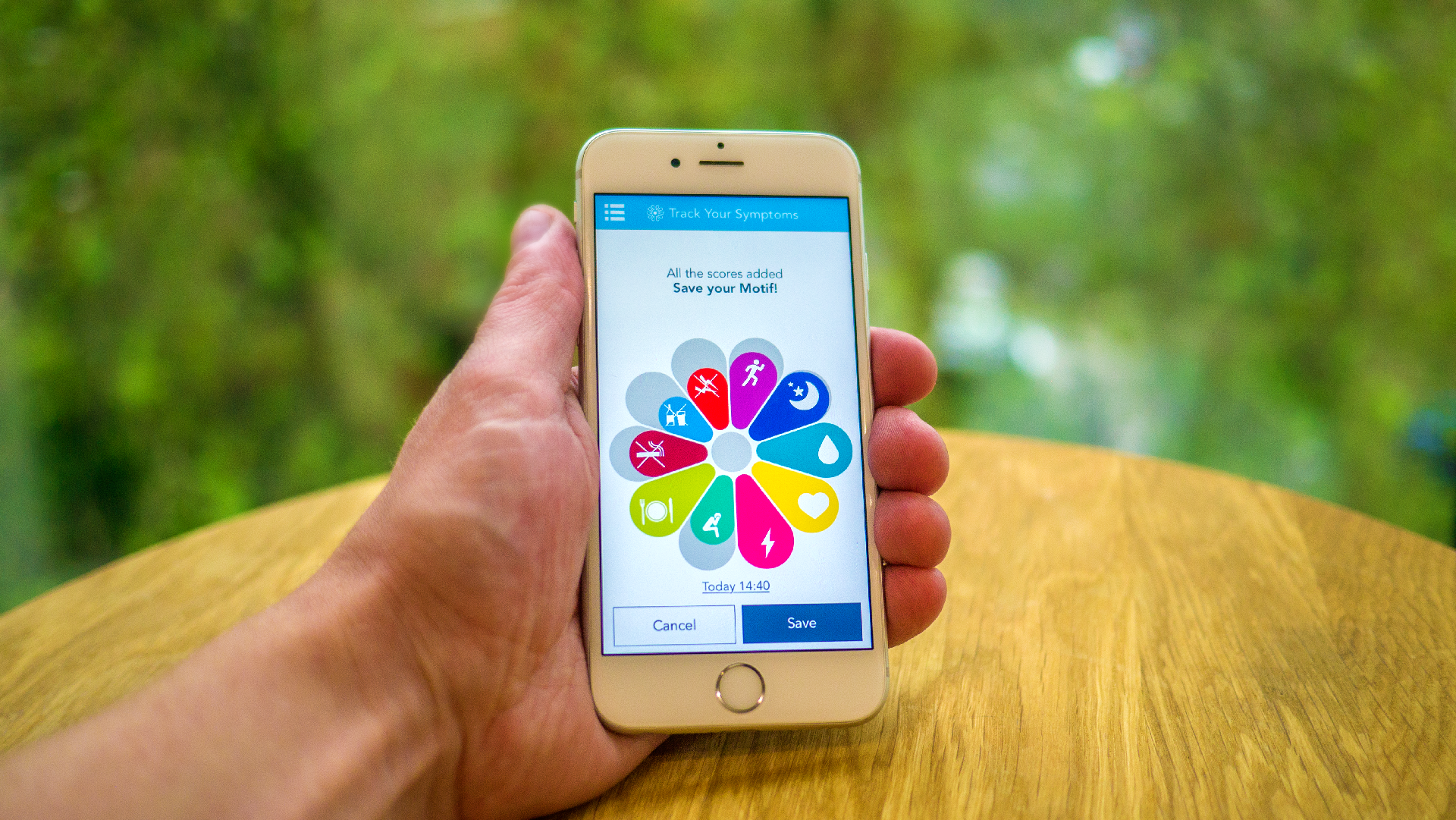
The motif is a beautiful and simple way for you to ‘score’ various aspects of daily life. It looks like a flower with a number of petals (segments).
How to score
Slowly swipe each segment. An information box will appear telling you what the segment measures (e.g. ‘suppleness’ or ‘sleep’) and how to score it (e.g. ‘reasonable’). As you swipe, these options will change.
Keep swiping until you’ve chosen your score, then release your finger. You should score as you feel appropriate for the symptom or aspect of health that you're rating. Your opinion is what matters here.
Once you have scored every segment that you would like to, hit the Save button and an animation confirms that your scores have been saved.
You can watch a video on this here.
View/delete your scores
If you click the timeline at the bottom left of the screen, you’ll see a list of your scores. You can delete any of them by selecting the entry and then the segment that you'd like to delete. Press the trashcan button and then OK and your score will be deleted.
View old scores
To view your previous scores, use the timeline at the bottom of the screen. Scroll down to your chosen date and your scores will appear.
Add old scores
Don’t worry if you forget to enter a score, you can add it at any time. Swipe a segment as usual and then use the time and date that appears just under the motif to set the time that you'd like to score for. Continue scoring as usual and then hit save to score your symptoms for that time and date.
Comments